
2048 Cupcakes Unblocked – Play Unblocked Cupcake 2048
Welcome to 2048 Cupcakes Unblocked – Play Cupcake 2048 Online on Cupcake2048.com! Play 100% free unblocked online games with zero pop-up ads, no downloads, and full mobile touchscreen and keyboard controls. Master tile merging strategies and explore our high-score puzzle solvers.
Welcome to 2048 Cupcakes Unblocked! If you are searching for a fast, responsive, and lightweight browser puzzle game that runs without restrictions on school, college, or workplace networks, this edition is built for you. Play 2048 Cupcakes Unblocked free online directly in your browser with zero downloads, no account sign-ups, and no extra extensions required.
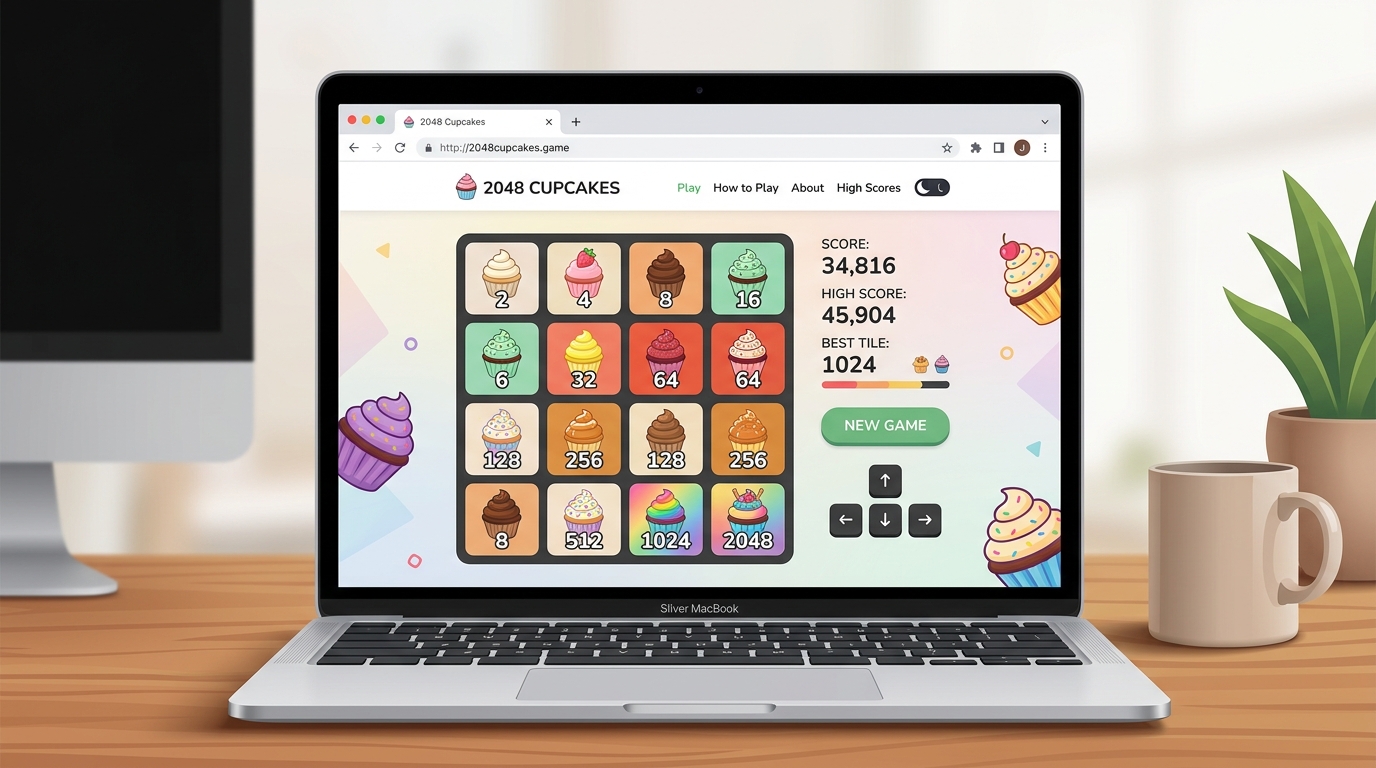
Merge matching cupcakes and reach 2048!
New GameHow to play: Use your arrow keys to move the tiles. When two tiles with the same symbol touch, they get promoted!
Tile Legend:
What Does 2048 Cupcakes Unblocked Mean?
2048 Cupcakes Unblocked refers to accessing the full cupcake-merging puzzle game directly through a browser URL without relying on executable files, Flash plugins, or third-party software. Built with modern HTML5 and JavaScript technology, the game executes entirely on the client side, allowing instant gameplay across computers, laptops, mobile phones, and school Chromebooks.
How 2048 Cupcakes Unblocked Works on Restricted Networks
1. Client-Side Browser Execution
Because the game assets and code load directly in standard web browsers, no local installation or administrative privileges are required. It operates smoothly on Chrome, Safari, Firefox, Edge, and Opera.
2. Chromebook and Institutional Wi-Fi Compatibility
Many school or corporate networks block downloadable software or gaming hubs. Hosted over secure HTTPS protocols with encrypted asset delivery, our version runs as a lightweight web page, making it accessible on managed Chromebooks. However, exact availability on specific institutional Wi-Fi networks depends on local administrative filtering rules.
3. Local Storage Score Saving
Your highest calorie score and top cupcake reached are stored locally in your browser’s storage. You can close your tab, return later, and pick up right where you left off without creating an account.
How to Play Unblocked Cupcake 2048
The rules of Unblocked Cupcake 2048 are simple and intuitive:
- Movement Controls: Use your keyboard arrow keys or WASD keys on desktop, or swipe across the screen on mobile devices to slide tiles across the 4×4 grid.
- Merging Cupcakes: When two identical cupcakes collide while sliding, they fuse into an upgraded cupcake of double the value (e.g. two Vanilla Birthday 2s merge into a Bubblegum Pink 4).
- Starter Tile Spawns: Every valid move spawns a new starter cupcake in an empty grid cell (90% chance for tile 2, 10% chance for tile 4).
- Reaching 2048: Combine tiles step-by-step from Vanilla Birthday (2) to the Super Rainbow Cupcake (2048) while maintaining open space for new spawns.
Unblocked vs Standard Cupcake 2048 Comparison
| Feature | Standard Version | Unblocked Edition |
|---|---|---|
| Grid Size | 4×4 Grid | 4×4 Grid |
| Software Installation | None Required | None Required |
| Network Compatibility | Standard Web | Browser-based (Subject to local Wi-Fi rules) |
| Controls | Keyboard & Touch | Keyboard & Touch |
| Score Storage | Local Storage | Local Storage |
| Goal Tile | Super Rainbow (2048) | Super Rainbow (2048) |
The mathematical merge rules and dessert tile sequences are identical to the original game on our 2048 Cupcakes homepage.
Winning Strategy & Tips for Unblocked 2048 Cupcakes
Achieving top high scores in 2048 Cupcakes Unblocked requires disciplined board control rather than random swiping:
- Anchor One Corner: Lock your highest-value cupcake in the bottom-right corner and keep it anchored there throughout the game.
- Use Two Main Directions: Restrict your swipes primarily to Down and Right. Avoid pressing Up unless no legal moves remain.
- Build Descending Chains: Arrange adjacent cupcakes in descending order along your main row (e.g. 2048 ➔ 1024 ➔ 512 ➔ 256) to enable domino chain merges.
- Keep Empty Cells Open: Maintain at least 3 to 4 open grid cells to prevent premature game overs.
For in-depth tactics, read our complete How to Win 2048 Cupcakes strategy guide and view the full 2048 Cupcakes in order list.
2048 Cupcakes Unblocked FAQ
Is 2048 Cupcakes Unblocked Available Everywhere?
It runs smoothly in any standard HTML5 browser, though specific school or corporate Wi-Fi network filters may restrict access individually based on administrative settings.
Do I Need a VPN or Extension to Play?
No. You can play 2048 Cupcakes directly in your browser without installing VPN software or Chrome extensions.
Does It Work on School Chromebooks?
Yes. 2048 Cupcakes Unblocked works seamlessly on Chromebooks using either keyboard arrow keys or touchscreen swipe controls.
Does the Game Save My Best Kcal Score?
Yes. Your top Kcal score and best cupcake reached are automatically saved in your browser’s local storage.
Can I Play Other Game Modes Unblocked?
Yes! Explore our 5×5, 6×6, 7×7 & 8×8 grid modes and Christmas Edition for new unblocked puzzle challenges.
Play More Cupcake 2048 Games
- Original 2048 Cupcakes: Return to our main portal to play the classic game.
- Winning Strategy Guide: Master advanced corner anchor tactics.
- Cupcake Order Guide: View all dessert levels and calorie values.
Attribution: 2048 is an open-source project originally created by Gabriele Cirulli on GitHub under the MIT License.
Why 2048 Cupcakes Unblocked Is Popular in Schools & Workplaces
The popularity of 2048 Cupcakes Unblocked stems from its lightweight architecture and instant accessibility. On institutional networks—such as middle schools, high schools, universities, and corporate offices—network administrators often use web filtering software like GoGuardian, Securly, or Fortinet to restrict external gaming domains and executable file downloads. Because 2048 Cupcakes Unblocked is delivered as standard HTML5 web pages over encrypted HTTPS protocols, it provides a safe, non-disruptive, and enjoyable browser game during recess, lunch breaks, or free periods.
Safety, Privacy & Security on Chromebooks
Playing 2048 Cupcakes Unblocked requires no software installation, APK downloads, or browser extension permissions. This ensures 100% device privacy and system security on school-issued Chromebooks and personal laptops. Your personal data remains completely safe because the entire game engine executes locally inside your web browser sandbox without transmitting personal information.
Explore All 2048 Game Editions & Strategy Solvers
Our platform hosts the largest collection of free unblocked 2048 games. Check out our other popular editions: