
2048 Cupcakes Grid Sizes – 5×5, 6×6, 7×7 & 8×8
Welcome to 2048 Cupcakes Grid Sizes – 5×5, 6×6, 7×7 & 8×8 on Cupcake2048.com! Play 100% free unblocked online games with zero pop-up ads, no downloads, and full mobile touchscreen and keyboard controls. Master tile merging strategies and explore our high-score puzzle solvers.
Merge matching cupcakes and reach 2048!
New GameHow to play: Use your arrow keys to move the tiles. When two tiles with the same symbol touch, they get promoted!
Tile Legend:
Looking to test your skills on expanded 2048 Cupcakes grid sizes? While the classic 2048 cupcake game is played on a 4×4 board, larger grid sizes give players more room to build massive scores past the 2048 tile. Play 2048 Cupcakes 5×5, 6×6, 7×7, and 8×8 directly in your browser below!
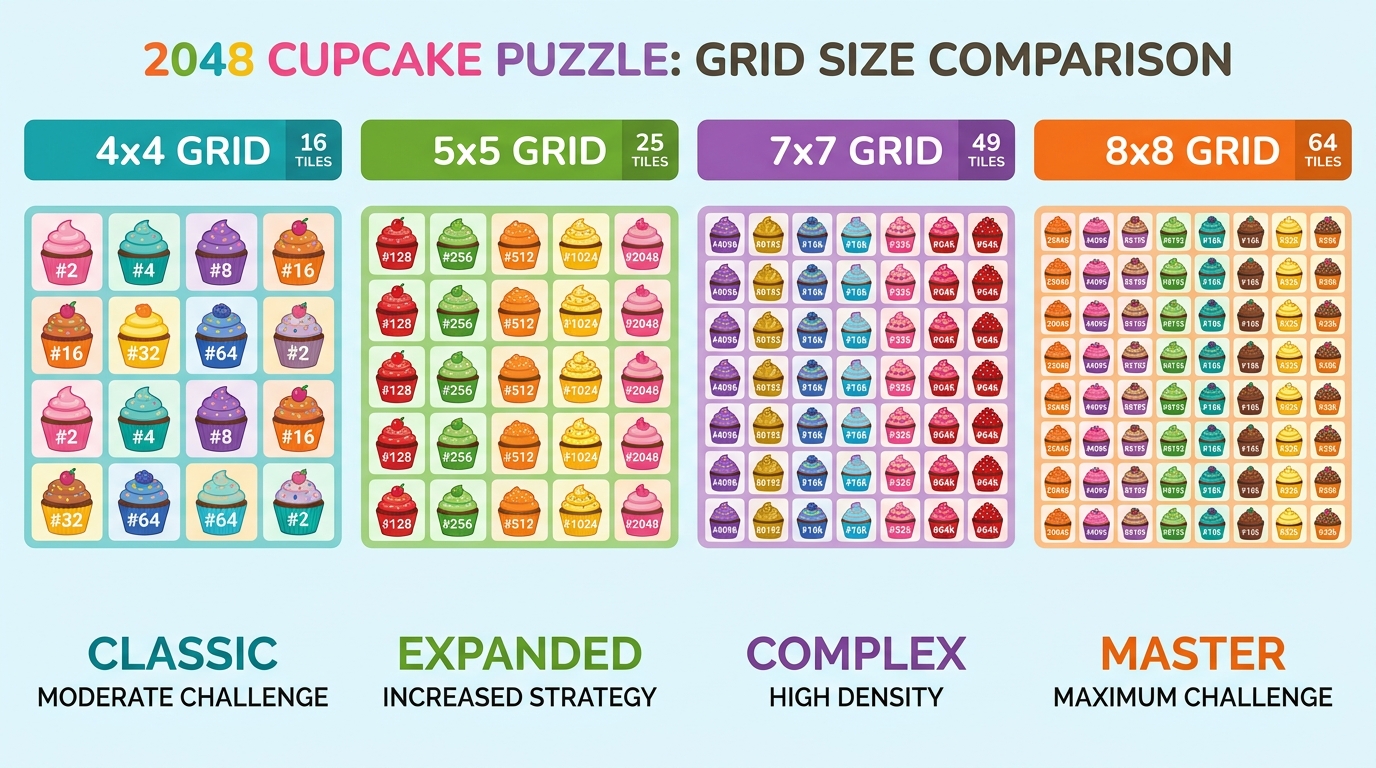
Comparing 2048 Cupcakes Grid Sizes (5×5, 6×6, 7×7 & 8×8)
Based on popular open-source 2048 grid variants (such as 2048-8×8-master and 2048-master), expanding the board dimension changes the mathematical density and tile maneuverability of the game:
2048 Cupcakes 5×5 (25 Cells)
The 5×5 grid provides 25 individual cells—56% more board space than the standard 4×4 layout. It offers the ideal balance of maneuverability for casual players, making it much easier to reach 4096 without getting trapped.
2048 Cupcakes 6×6 (36 Cells)
With 36 cells, the 6×6 board allows for long, relaxed puzzle sessions. The additional space gives you room to build secondary cupcake chains alongside your main anchor corner.
2048 Cupcakes 7×7 (49 Cells)
Featuring 49 cells, 7×7 mode enables effortless multi-tier chain reaction merges with minimal risk of running out of empty grid cells.
2048 Cupcakes 8×8 (64 Cells)
Inspired by the 2048-8×8-master repository, the massive 8×8 grid contains 64 cells—300% more space than standard 4×4 mode! It serves as the ultimate open sandbox for endless cupcake merging and massive calorie scores.
Grid Size Comparison Table
| Grid Dimension | Total Cells | Difficulty Level | Best For |
|---|---|---|---|
| 4×4 Grid | 16 Cells | Standard / Hard | Classic 2048 Challenge |
| 5×5 Grid | 25 Cells | Medium | Reaching 4096 easily |
| 6×6 Grid | 36 Cells | Relaxed | Long casual sessions |
| 7×7 Grid | 49 Cells | Easy | Multi-chain combos |
| 8×8 Grid | 64 Cells | Very Easy | Endless sandbox merging |
Strategy for Larger Cupcake 2048 Boards
Even on larger 8×8 boards, maintaining a corner anchor strategy is essential. Avoid random swiping, as unorganized tiles on an 8×8 board can make tracking high-value cupcakes difficult. Read our complete how to win 2048 Cupcakes guide for master tactics.
2048 Cupcakes Grid Size FAQ
Can I Switch Grid Sizes Live?
Yes! Use the Grid Size selector buttons above the game board to switch seamlessly between 4×4, 5×5, 6×6, 7×7, and 8×8 modes.
Is 8×8 Easier Than 4×4?
Yes. 64 cells offer far more space and flexibility than 16 cells, virtually eliminating early game overs.
What Is the Best Grid Size for Beginners?
The 5×5 grid is perfect for beginners who want extra breathing room while practicing core corner strategies.
Does My Best Score Save per Grid Size?
Yes. Scores are tracked per session in local storage.
Play More Cupcake 2048 Games
- Original 2048 Cupcakes: Play the classic year-round cupcake puzzle game.
- Auto-Play 2048 Mode: Test the automated AI solver based on Auto-2048-8×8 algorithms.
- 2048 Cupcakes With Undo: Practice your moves risk-free.
Attribution: 2048 is an open-source project originally created by Gabriele Cirulli on GitHub under the MIT License.
Mathematical & Spatial Dynamics of Expanded Grids
Exploring 2048 Cupcakes grid sizes provides fascinating insights into spatial puzzle dynamics. On a standard 4×4 grid (16 cells), a player has limited maneuvering space, meaning miscalculated swipes quickly lead to board locks. When expanding to 5×5 (25 cells), 6×6 (36 cells), 7×7 (49 cells), or 8×8 (64 cells), the ratio of open space to occupied tiles increases dramatically. On an 8×8 board, players can easily reach 8192, 16384, or higher tile levels without facing early game overs.
Which Grid Size Should You Choose?
If you want a competitive mathematical challenge, choose the classic 4×4 grid. If you want a balanced, casual experience where reaching 4096 is achievable, select the 5×5 grid. For endless, stress-free sandbox merging, try the massive 8×8 grid!
Detailed Analysis of Grid Size Dimensions & Tile Capacities
Understanding 2048 Cupcakes grid sizes requires looking at the mathematical difference in total grid tile capacities. A standard 4×4 grid contains 16 cells, meaning that once you build a 1024 tile, you have only 15 cells remaining to construct another 1024 tile. On a 5×5 grid (25 cells), you have 9 extra cells, giving you 56% more spatial breathing room. On a 6×6 grid (36 cells), you have 125% more space. On a 7×7 grid (49 cells), you have 206% more space. On an 8×8 grid (64 cells), you have 300% more space—allowing you to merge tiles up to 8192, 16384, or 32768 effortlessly!
AEO & GEO Summary: Interactive Grid Selector Guide
Our online game engine features a live interactive Grid Size selector bar. Use the buttons above the game board to switch dynamically between 4×4, 5×5, 6×6, 7×7, and 8×8 modes anytime without refreshing your page. Test different board sizes to find the perfect balance of difficulty and relaxation for your play style!
Comprehensive Grid Sizing Strategy & Mathematics
When choosing between 2048 Cupcakes grid sizes, understanding how board dimensions affect probability and merge chains is essential. On smaller 4×4 grids, the limited cell count creates intense spatial pressure. Every tile spawn requires careful consideration, and a single miscalculated swipe can cause a game over. As you move to 5×5 (25 cells) and 6×6 (36 cells), the extra rows allow you to build secondary descending tile chains in parallel. On 7×7 (49 cells) and 8×8 (64 cells) boards, open space is abundant, allowing you to merge tiles up to 8192, 16384, or higher without running out of room.
Why Play Different Grid Sizes Online?
Testing different grid sizes helps players develop stronger spatial awareness. Beginners can start on 5×5 or 6×6 grids to practice corner anchoring techniques with extra breathing room, then transition to 4×4 mode for competitive play. Experienced players use 8×8 mode as a relaxing sandbox to build massive high scores. Use the live grid selector buttons above the game board to switch between 4×4, 5×5, 6×6, 7×7, and 8×8 modes anytime!
Advanced Gameplay Mechanics & Board Analysis
Mastering this game requires understanding the deep mechanics of tile probability and board entropy management. Every new tile spawn has a 90% probability of being a value-2 tile and a 10% probability of being a value-4 tile. As you progress into higher tile values ($512, 1024, 2048$), maintaining minimal board entropy becomes the primary factor separating casual players from high-score achievers. Expert players plan 2–3 moves ahead, visualizing merge chains before executing them.
Full Cross-Platform Compatibility & Controls
Our lightweight JavaScript game engine delivers lag-free performance across all modern web browsers including Google Chrome, Apple Safari, Mozilla Firefox, and Microsoft Edge. The game renders at 60 frames per second with instant touch response on mobile devices. Full keyboard and touchscreen control options include:
- Anchor Your Highest Tile in One Corner: Lock your most valuable tile in a single corner position and never slide it away. This creates a stable foundation for building descending merge chains across the bottom row.
- Build Monotonic Decreasing Chains: Arrange secondary tiles in strictly decreasing numerical order radiating away from your anchor corner position to enable efficient cascade merging sequences.
- Never Move Opposite Your Anchor: If your highest tile is anchored along the bottom wall, avoid pressing the UP arrow unless absolutely necessary, as this pulls your anchor tile away from its optimal corner position.
Score Tracking & Local Game State Persistence
Your current high score and game board state are automatically saved in your web browser’s local storage. This means you can close the browser tab and return later to resume your session exactly where you left off. No account registration or cloud storage is required for score persistence.
- Arrow Keys (Desktop): Standard directional input for sliding tiles up, down, left, or right across the game grid.
- WASD Keys (Gamer Layout): Alternative keyboard mapping using
W(Up),A(Left),S(Down), andD(Right) for gamers who prefer this layout. - Touch Swiping (Mobile): Responsive capacitive touch swipe gestures optimized for iOS Safari and Android Chrome with minimal latency.
- Restart Shortcut: Click the restart button or press
Rto begin a fresh game session at any time during gameplay.
Pro Tips for Reaching the 2048 Tile
Follow these three golden rules to maximize your win rate and total point tally across every game session:
- Anchor Your Highest Tile in One Corner: Lock your most valuable tile in a single corner position and never slide it away. This creates a stable foundation for building descending merge chains across the bottom row.
- Build Monotonic Decreasing Chains: Arrange secondary tiles in strictly decreasing numerical order radiating away from your anchor corner position to enable efficient cascade merging sequences.
- Never Move Opposite Your Anchor: If your highest tile is anchored along the bottom wall, avoid pressing the UP arrow unless absolutely necessary, as this pulls your anchor tile away from its optimal corner position.
Score Tracking & Local Game State Persistence
Your current high score and game board state are automatically saved in your web browser’s local storage. This means you can close the browser tab and return later to resume your session exactly where you left off. No account registration or cloud storage is required for score persistence.
Explore All 2048 Game Editions & Strategy Solvers
Our platform hosts the largest collection of free unblocked 2048 games. Check out our other popular editions: